
.svg)





Go Autonomous and Microsoft Outlook.
Over half of B2B orders still arrive by email. Go Autonomous reads every one and executes it before anyone on your team opens it.








Half Your B2B Orders Still Arrive in Outlook.
Half Your B2B Orders Still Arrive in Outlook.
Why Email Remains the Dominant B2B Order Channel
Email is not going away. Manual processing of it should.
Between 50 and 70 percent of B2B order volume arrives by email — as plain text, PDF attachments, or forwarded purchase orders. Someone on your team reads each one, extracts the order data, and re-enters it manually into your ERP. That is the process Go Autonomous replaces.
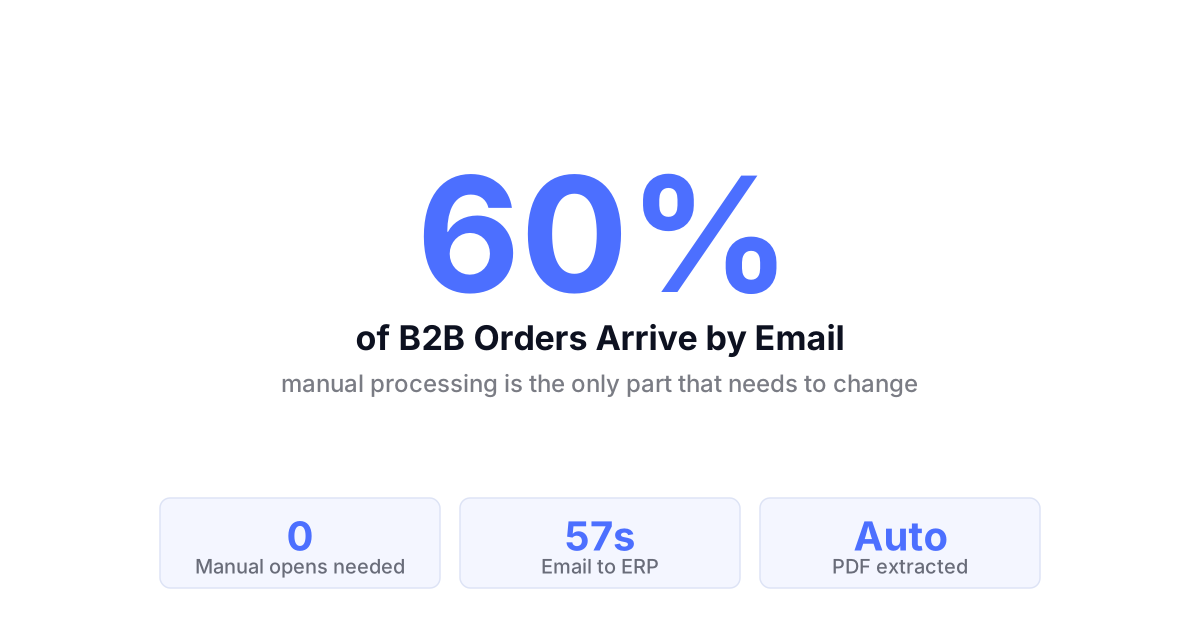
Your order inbox is full. Your ERP is still waiting.
What Outlook Cannot Do With an Order Email.
What Outlook Cannot Do With an Order Email.
The Processing Gap in Every Email-Based Order Workflow
Email delivers the order. It cannot execute it.
Outlook receives the order. It cannot read a PDF attachment, identify the product codes, validate pricing against your ERP, and write a confirmed order back to your customer automatically. Every step between email receipt and ERP confirmation requires a person today.
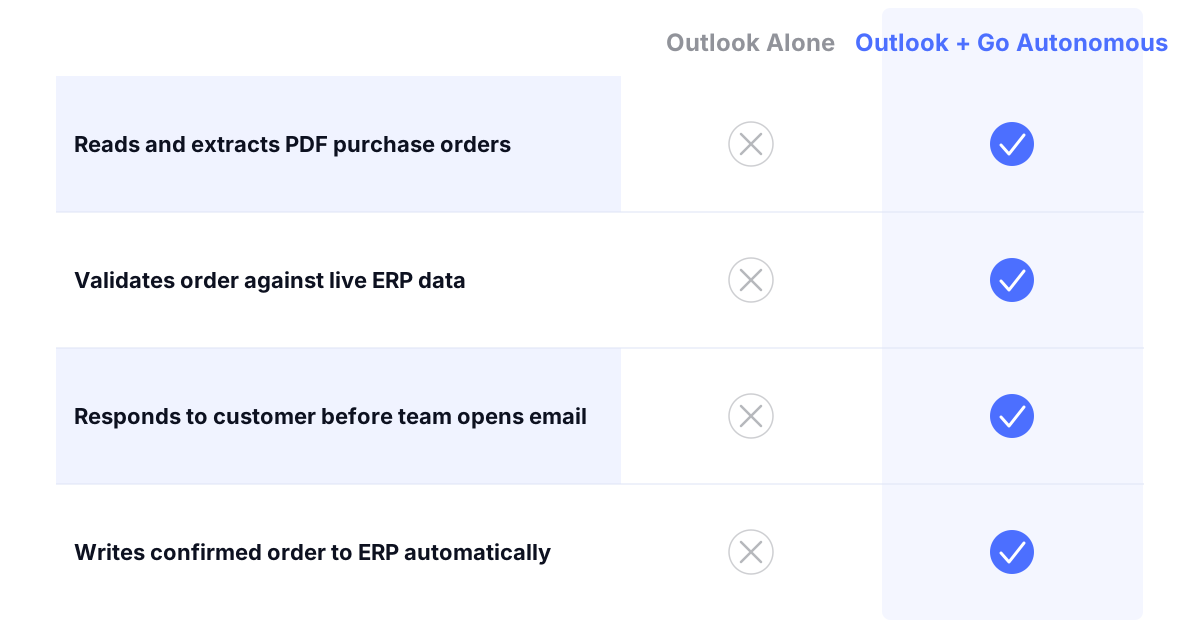
Email Orders. Executed Without a Human.
Email Orders. Executed Without a Human.
From Outlook email receipt to confirmed ERP response
Customer service capacity freed from email order processing
First-time-right on email orders executed autonomously
More order throughput per team member when email is automated
From Outlook to Your ERP. In Under a Minute.
From Outlook to Your ERP. In Under a Minute.
How Go Autonomous Reads and Executes Email Orders
Every email order read, validated, and executed automatically.
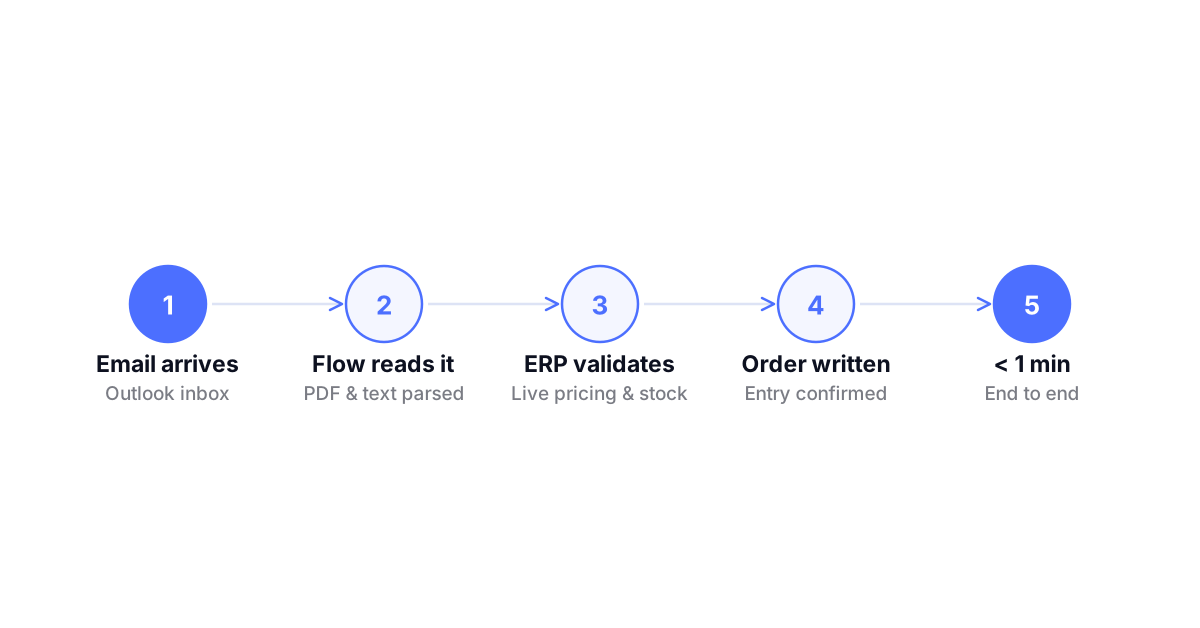
Go Autonomous monitors your order inbox through Flow, reads incoming emails and PDF attachments, extracts order intent, validates against your ERP in real time, and executes the confirmed transaction. Your team sees only the exceptions that require judgment.
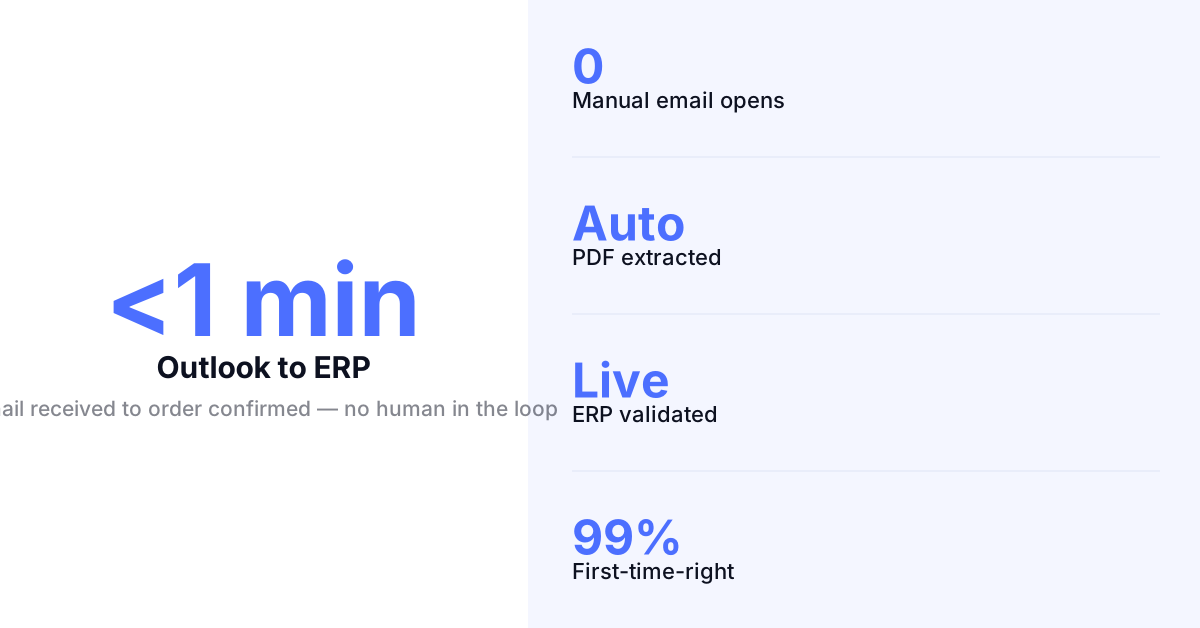
PDF Orders Extracted and Confirmed. Automatically.
PDF Orders Extracted and Confirmed. Automatically.
Autonomous Order Extraction From Email Attachments
Go Autonomous reads purchase orders arriving as PDF or Excel attachments in Outlook, extracts product codes, quantities, pricing, and delivery terms, validates against your ERP in real time, and confirms the order automatically. The attachment never needs a human to read it.
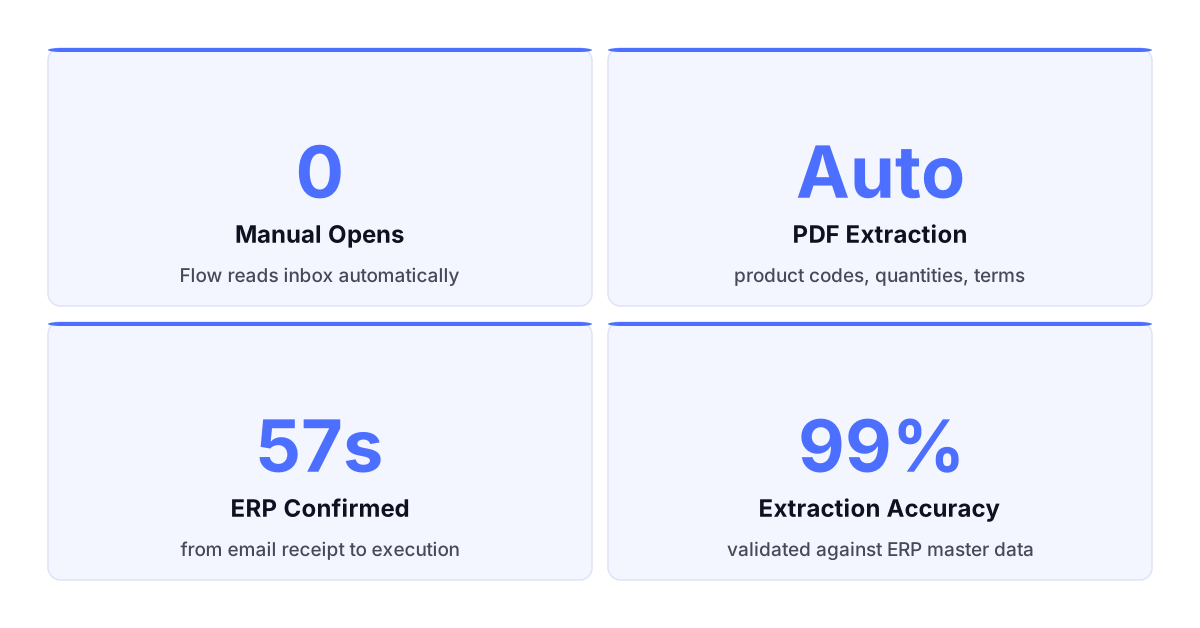
What Changes When Outlook Orders Execute Automatically.
Every email order processed. No inbox queue.
Incoming order emails and attachments read and executed the moment they arrive. No backlog. No morning processing rush.
Order data extracted without manual reading.
PDF attachments and email text parsed automatically. No copy-paste into your ERP. No re-keying errors.
Customers get confirmations before your team opens the email.
Automatic execution means the customer response goes out in seconds, not hours. Response speed becomes a system property.
Your team handles complexity. The system handles volume.
Exceptions escalated with full context. Standard orders never reach the team queue. Capacity used where judgment is required.
This is not email parsing. It is execution.
Email parsing tools extract data from messages. Autonomous Commerce reads every order email, validates it against your ERP in real time, and executes the confirmed transaction before anyone on your team opens the message.

Email parsing tools extract data from messages. Autonomous Commerce reads every order email, validates it against your ERP in real time, and executes the confirmed transaction before anyone on your team opens the message.
RFQs Quoted Before Your Team Opens the Email.
RFQs Quoted Before Your Team Opens the Email.
Autonomous Quote Execution From Email RFQs
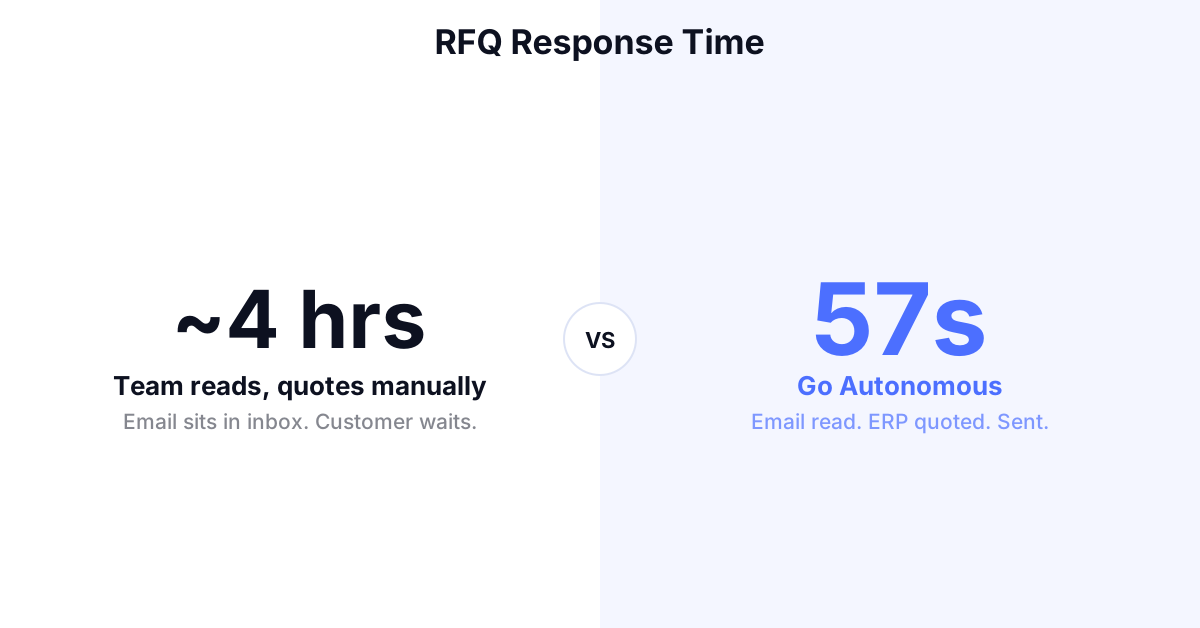
Go Autonomous detects incoming RFQ emails, reads the request, pulls pricing and product availability from your ERP in real time, and sends the accurate quote back to the customer automatically. Standard RFQs never enter your team queue. Response time measured in seconds.
Email Change Requests Resolved. No Team Touch.
Email Change Requests Resolved. No Team Touch.
Autonomous Order Amendment From Email Requests
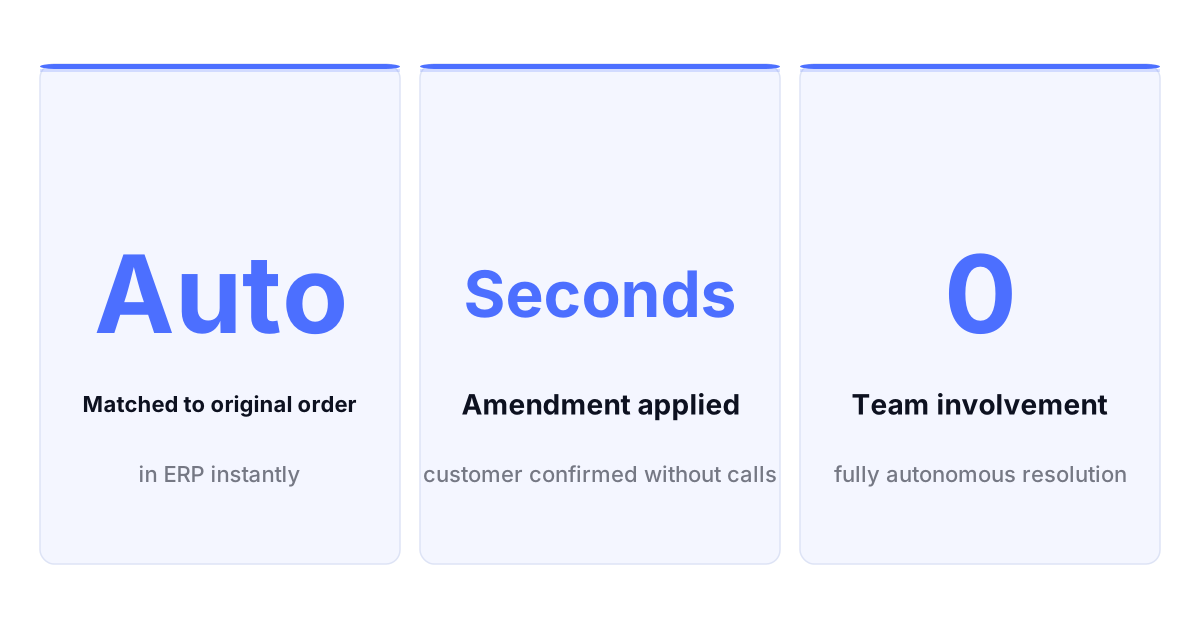
When customers send change requests by email, Go Autonomous reads the amendment, matches it to the original order in your ERP, validates the change against your rules, and confirms automatically when within tolerance. Only changes requiring judgment reach your team.
Flow Reads Your Inbox and Runs the Execution.
Flow Reads Your Inbox and Runs the Execution.
Flow Monitors Outlook and Executes to Your ERP
Flow connects your Outlook order inbox to your ERP. Every email and attachment monitored from the moment it arrives. Every order extracted, validated, and executed. Every confirmed transaction written back. Your inbox becomes an execution layer, not a processing queue.
Results From the Field.
Danfoss — Autonomous order execution deployed across 26 countries simultaneously, with orders confirmed in under one minute across all markets. Read the press release
Nilfisk — Scaled order volume across multiple European markets without growing the customer service team processing incoming requests. Read the press release
Mediq — Healthcare distributor processing thousands of orders per week autonomously across complex order types and channels. See the success case
Autonomous Commerce Product Suite
Workstation Where your team handles exceptions, reviews complex quotes, and manages edge cases. Full context on every escalation. No chasing information.
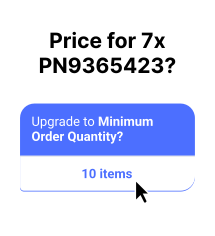
Flow Where every inbound channel connects to your ERP. Email, EDI, portal unified into one execution layer from the moment a request arrives.
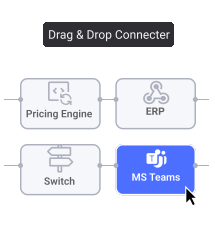
Pulse Where performance is tracked in real time. Every transaction monitored, every exception flagged before it becomes a customer problem.
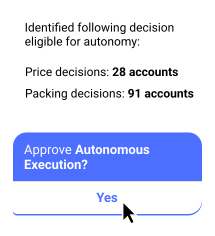
Decision Analytics Where patterns become decisions. Pricing gaps, capacity constraints, and demand signals surfaced automatically before you ask for them.
Common Questions
Does Go Autonomous need access to our Outlook account?
Go Autonomous connects to your order inbox through the Flow integration layer using standard Microsoft graph or IMAP protocols. It monitors designated order mailboxes and processes incoming messages. It does not access personal inboxes or unrelated mailboxes.
What order formats can Go Autonomous read from email?
Go Autonomous reads plain-text order details in email body, PDF purchase orders attached to emails, Excel order files, and forwarded orders from other systems. It identifies order intent, extracts the relevant fields, and validates against your ERP regardless of format.
How does Go Autonomous handle PDF attachments containing order data?
Go Autonomous reads PDF attachments using document intelligence that extracts product codes, quantities, pricing references, and delivery information. The extracted data is validated against your ERP master data before execution. Unreadable or ambiguous attachments are escalated to your team.
What happens when Go Autonomous cannot process an email with confidence?
When an email cannot be processed to the required confidence level — due to missing information, ambiguous product references, or pricing that cannot be validated — it is escalated to your team with the original email and the extraction result attached. Nothing is executed without sufficient confidence.
Do our customers need to change how they send orders?
No. Customers continue sending orders exactly as they do today. Go Autonomous adapts to the formats your customers already use. No onboarding requirement, no portal registration, no format standardisation required on the customer side.
Voice of the Customers



Explore what autonomous execution means for your operations.
Talk to an expert or see Go Autonomous in action.

Talk to an expert or see Go Autonomous in action.