
.svg)





Dynamics 365: End-to-End Autonomous Execution
Process every quote request and purchase order from every channel and write the confirmed record to Dynamics 365 automatically. No D365 reconfiguration. No middleware. No manual steps.

Dynamics 365 Runs Your Business. It Does Not Execute Orders.
Dynamics 365 is your system of record for sales, inventory, and fulfillment. Processing every inbound quote and order from every channel is not what it was built to do.
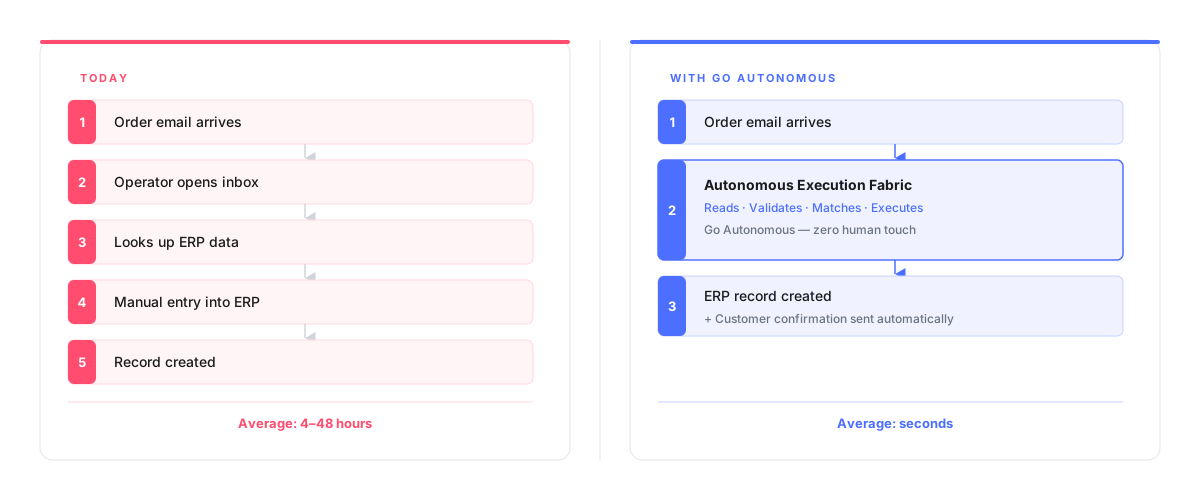
Every quote request or purchase order arriving by email, EDI exception, or phone still requires a human to interpret it, validate it, and enter it into D365. That gap is where errors compound and cost-to-serve grows.
The Autonomous Execution Fabric closes the gap.
It connects to Dynamics 365, reads every inbound channel, validates against your D365 data, and creates confirmed order records automatically. See all integrations.
Six Ways Autonomous Execution Strengthens Dynamics 365
Execute every RFQ and purchase order the moment it arrives in any channel
Quote requests and orders processed in seconds. D365 receives clean, validated records every time.
Validate every order against D365 pricing and inventory without manual steps
Every line item checked before a D365 record is created. No duplicates, no pricing errors.
Eliminate manual data entry between inbound channels and Dynamics 365
No operator time rekeying email, PDF, or EDI exceptions into D365 fields.
Scale order volume without adding Dynamics 365 licenses or headcount
Handle 10x more orders on the same D365 infrastructure. Execution scales instantly.
Connect all order channels: EDI, email, portal, phone, API to D365
Every channel validated and written to D365 through one unified execution layer.
Keep full D365 audit trail with zero workflow deviation or compliance gap
Every execution logged, traceable, and compatible with your D365 approval workflows.
How the Autonomous Execution Fabric Connects to Dynamics 365
How the Autonomous Execution Fabric Connects to Dynamics 365
No D365 reconfiguration. No new Power Automate flows. No middleware to maintain.
The Execution Fabric connects via standard Dataverse APIs and D365 REST interfaces. Your pricing logic, sales workflows, and D365 customizations stay exactly as they are. Deployment takes days, not months.
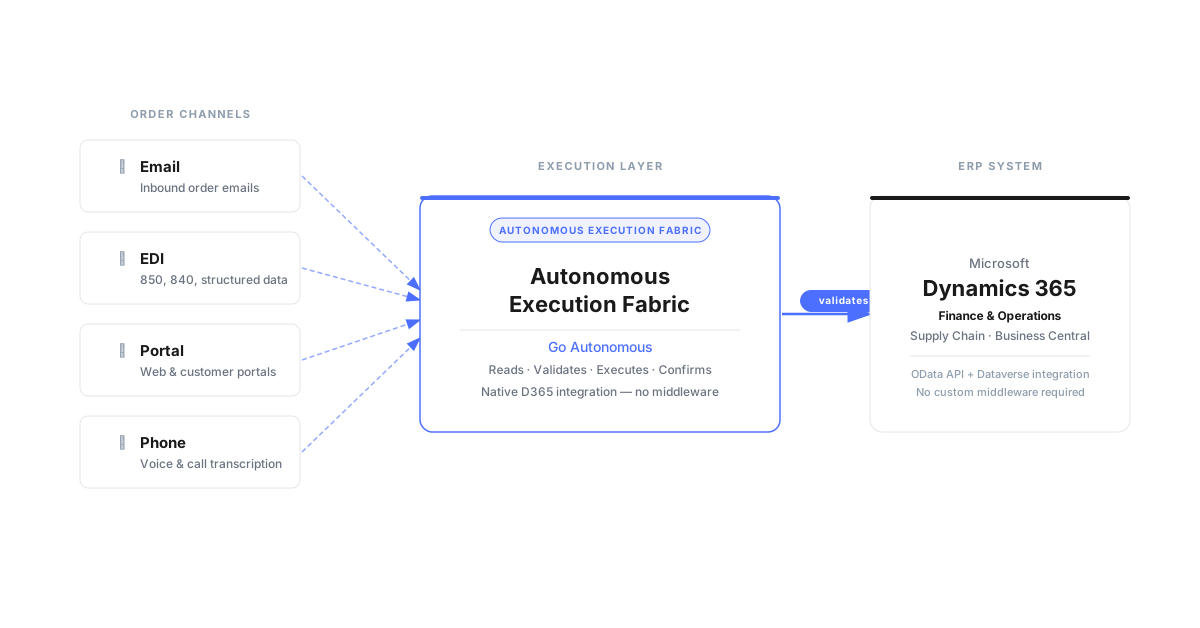
Every Order Channel Into Dynamics 365, Automatically
Every Order Channel Into Dynamics 365, Automatically
Email, EDI, portal, phone: every inbound channel writes to D365 in seconds.
Customers using EDI get the same execution speed as customers emailing orders. No channel gets slower service. No order requires a different process. See how EDI and D365 work together.
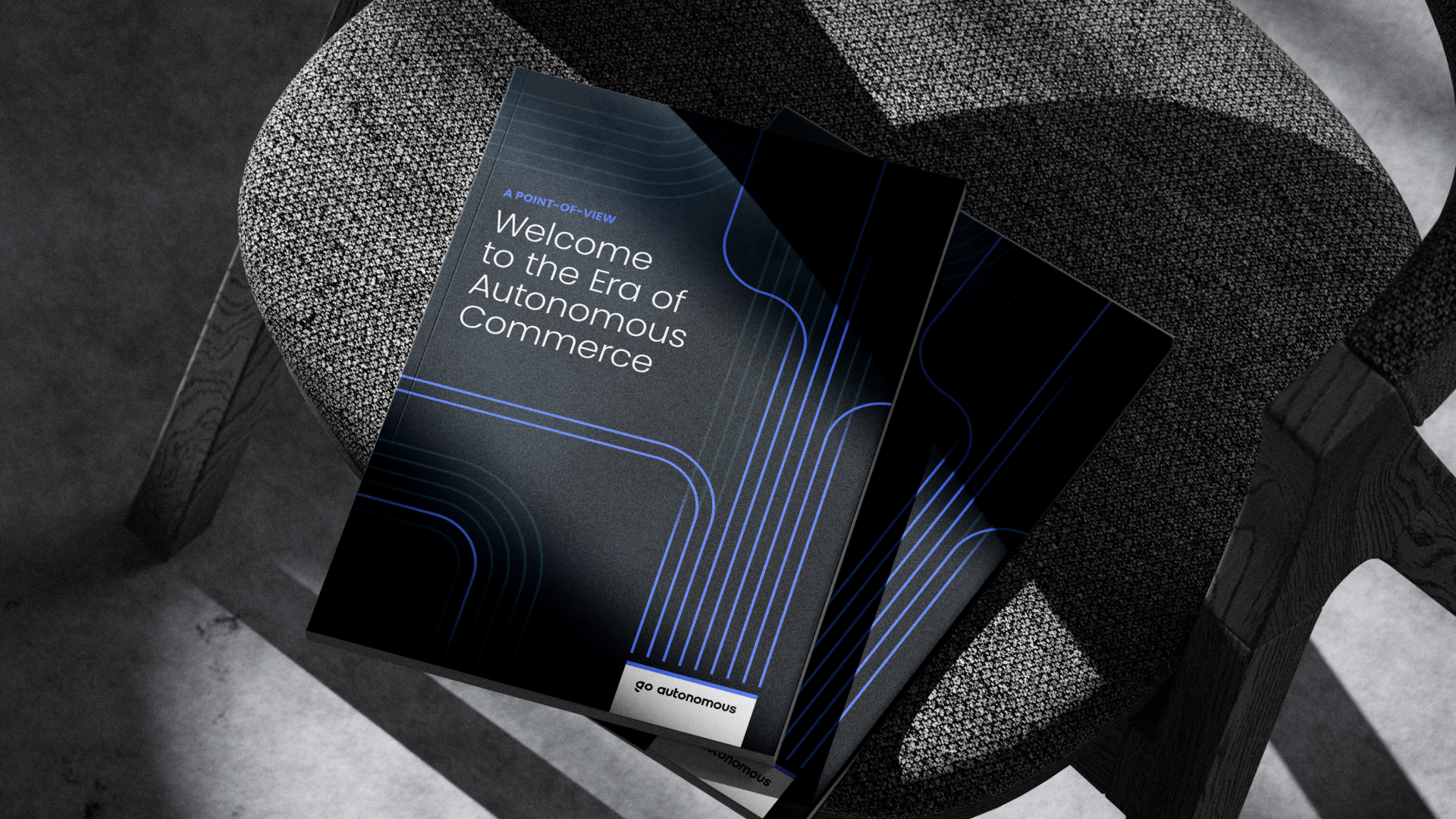
Want to See What End-to-End Execution Looks Like?
Want to See What End-to-End Execution Looks Like?
Download the white paper on autonomous quote and order execution.
The full playbook for B2B manufacturers and distributors running Dynamics 365. Quote intake, order validation, D365 record creation, and customer confirmation: one continuous flow.

From Quote Request to D365 Record: End-to-End Execution
From Quote Request to D365 Record: End-to-End Execution
The full execution flow on Dynamics 365: live data, no demo environment.
A quote request arrives by email, is validated against D365 pricing and inventory, and the confirmed sales order appears in Dynamics 365 in seconds. Real data, real ERP, real execution.
No content available.
Autonomous Execution on a Microsoft Stack: The Impact
Autonomous Execution on a Microsoft Stack: The Impact
Of UK orders fully autonomous (Velux)
Fewer order errors (Nilfisk)
Digital revenue in 2 months (IFM)
Clicks per order, down from 93 (Laerdal)
Frequently Asked Questions About Dynamics 365 Integration
What does autonomous execution on Dynamics 365 actually mean?
Autonomous execution on Dynamics 365 means every inbound quote request and purchase order is read from any channel, validated against your D365 master data, and written to Dynamics 365 as a confirmed sales order automatically.
Does Go Autonomous require changes to our Dynamics 365 setup?
No. The Execution Fabric connects to Dynamics 365 via standard Dataverse APIs and the D365 Sales / Business Central REST interface. No customizations, no new Power Automate flows to maintain.
Does Go Autonomous work with Dynamics 365 Sales, Business Central, and F&O?
Yes. Go Autonomous supports Dynamics 365 Sales, Business Central, and Finance & Operations using standard Dataverse and REST APIs across all three.
How long does it take to deploy Go Autonomous on a Dynamics 365 stack?
Typical deployment is 2-4 weeks. Most deployments go live before the second month.
What channels connect to Dynamics 365 through Go Autonomous?
All inbound channels. Email (Outlook, shared inboxes), EDI 850 and exception documents, customer portals, phone orders, API connections from distributor systems, and structured file uploads.
How does Go Autonomous handle RFQs in Dynamics 365?
RFQs arriving by email or EDI are extracted by the Execution Fabric, matched against D365 pricing and inventory, quote responses are generated, and the D365 quote record is created automatically.
How is Go Autonomous different from Dynamics 365 Order Management features?
Dynamics 365 manages fulfillment, routing, and record storage. It does not execute orders arriving outside structured EDI or portal. Go Autonomous reads every channel and writes to D365 automatically.
What B2B Leaders Say About Autonomous Execution on D365





See the Autonomous Execution Fabric in Action
Connect every quote and order channel to your ERP. No reconfiguration. Live in days.
See the Autonomous Execution Fabric in Action
Connect every quote and order channel to your ERP. No reconfiguration. Live in days.